
Hubspot Pages under Planet 4
Quietly load the HubSpot page in the background and display it as if it were part of the Greenpeace site itself.
📚 Manage Planet 4 > Integrate P4 > Set Up the Form Builder > Hubspot Pages under P4
Explained & Goal
Reverse proxy? Domain and path? Here’s a bit of context on what this is about:
Some NROs are building their petition pages in HubSpot instead of directly on their website. This means that if a visitor clicks a petition link on the Greenpeace website, they’re actually sent to a completely different website (a HubSpot act URL). That can feel a bit jarring because visitors suddenly see a different domain in their browser.
In short: The goal is to make it look like visitors never left the Greenpeace website, by keeping the URL the same.
Getting Started
🔎 Where? You can find this by going to Dashboard > Planet 4 > Hubspot
In the Hubspot section of the Planet 4 settings from the Dashboard, there will be a checkbox option called “Reverse Proxy”. this will enable the reverse proxy for Hubspot hosted content.
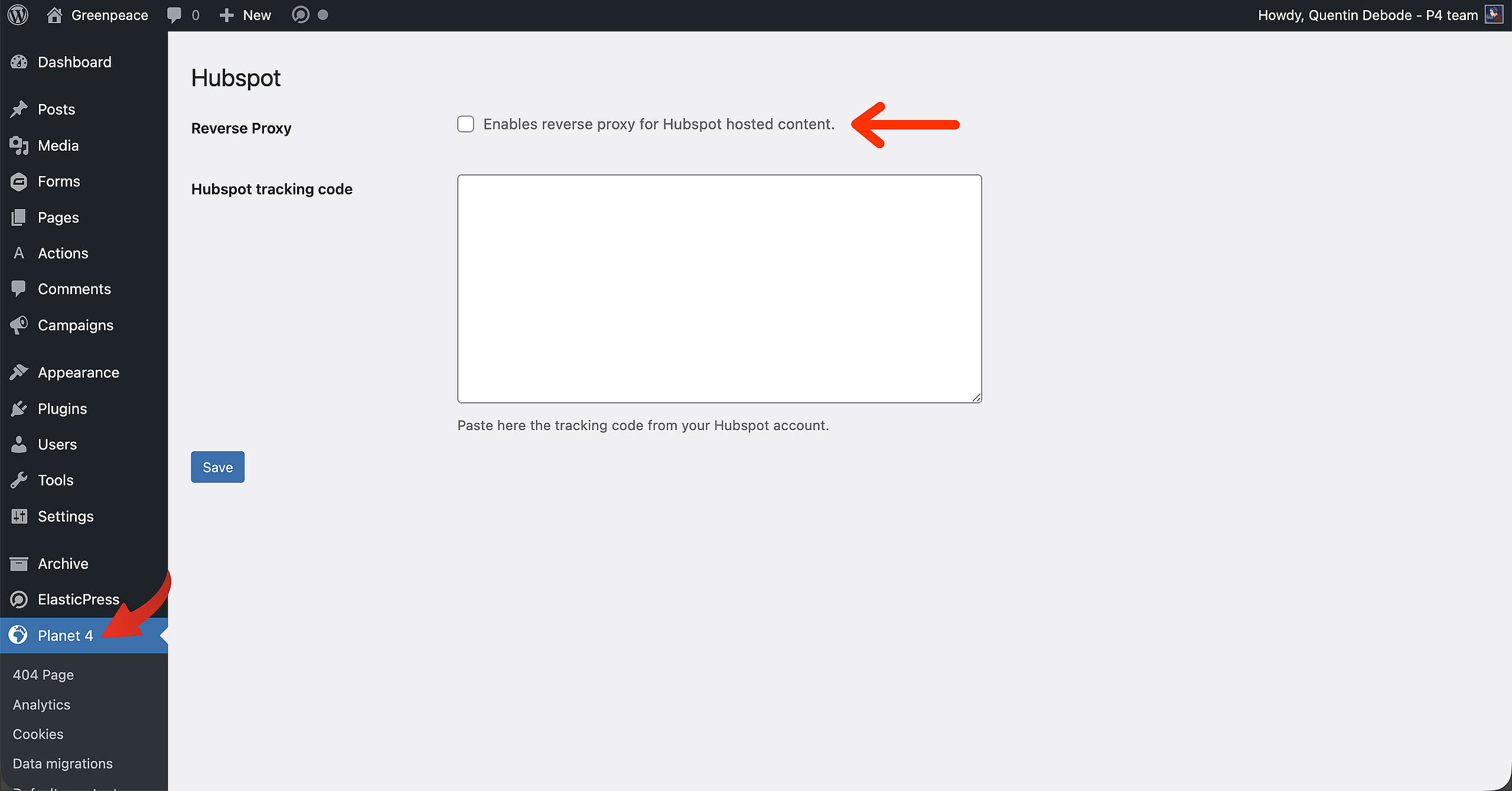
Once checked, the rest of the fields are revealed:
- Domain
- P4 Path
- Hubspot Path
If these 3 options are empty, the reverse proxy option will automatically be disabled, so make sure to fill those in correctly.
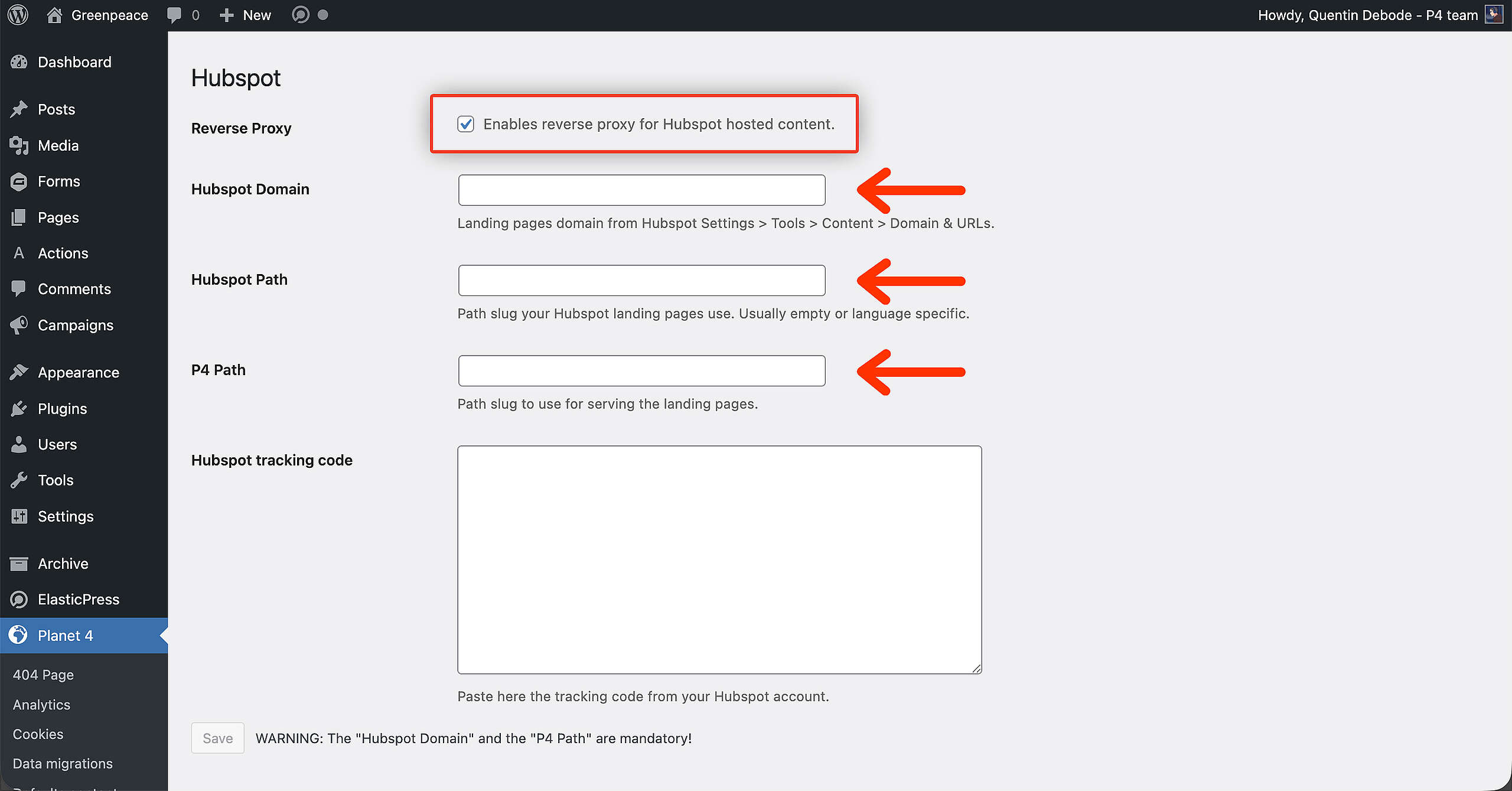
As soon as the options are active, the P4 path will be intercepted. Meaning the Hubspot content will be rendered with a Greenpeace URL.
Result (and Example)
Have a look at Greenpeace Australia: https://www.greenpeace.org.au/act/stop-big-gas.
